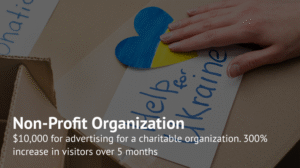
Google Grants is a grant program that enables nonprofit organizations to run free search ads in Google Ads, with a monthly budget of up to $10,000. Its goal is to raise awareness about the organization's mission and objectives, thereby attracting donors, volunteers, and partners.
What is Google Ad Grants, and How Does It Work?
The Basics of the Google Program for Nonprofits
Google Ad Grants is part of the broader Google for Nonprofits program, which provides nonprofit organizations with free access to certain Google services. Google Ad Grants allows nonprofits to launch advertising campaigns to promote their activities, grow their teams, and attract new partners.
Key Conditions of the Google Ad Grants Program:
- Participants receive services equivalent to $10,000 per month in advertising credit. This amount cannot be withdrawn or used in any other way.
- Campaigns can only run as text-based ads in Google Search—no display ads or partner network placements are allowed.
- Ads must strictly align with the mission of the nonprofit or charitable organization. They may undergo additional moderation to verify compliance.
- Commercial advertising is strictly prohibited. Any violation may result in account suspension.
- The maximum cost-per-click (CPC) is limited to $2 for standard campaigns, although higher bids may be available for optimized campaigns.
How the Google Grant Helps Nonprofits
The Google Grant significantly accelerates the growth of nonprofit organizations. Participation in the program provides the following advantages:
How to Get a Google Grant for Your Organization
Eligibility Criteria for Google Grants
It’s important to understand that only nonprofit organizations are eligible for Google Grants. These organizations must not engage in commercial activities, generate revenue through product sales, or be part of a business entity. They must be legally independent entities and meet the following criteria:
- Officially registered as a nonprofit in their country;
- Not be government institutions;
- Comply with Google’s Nonprofit Program policies;
- Have a functional website clearly outlining their mission and activities;
- Provide up-to-date contact information and ensure you are reachable.
In Ukraine, eligible organizations must be listed in the Register of Nonprofit Institutions and Organizations under the following codes:
- 0005 (0036) – Charitable Organizations
- 0006 (0032) – Public Associations
- 0013 (0035) – Religious Organizations
- 0011 (0048) – Public Libraries
How to Apply for a Google Account
To apply for a Google Grant, follow these steps:
- Create a Google account if you don’t already have one.
- Visit the Google for Nonprofits page.
- Click “Get Started”.
- Enter an email address not previously used in Google Ads. If you manage multiple activities, consider creating a new account.
- Carefully read the program’s terms and ensure your organization complies. with them
- Select your country of registration.
- Upload an extract from the Nonprofit Registry.
- Provide your organization’s website.
- Describe your mission and objectives, ideally using the exact wording as on the site.
- Submit your application. You’ll receive a response within 14 days.
Once approved, access your Google for Nonprofits account and proceed to set up your Google Ads Grant. Reconfirm your website URL, watch the training video, accept the terms, and submit your request. A response should arrive within 14 days. Be sure to receive the grant invitation promptly to avoid automatic denial. After that, you’ll gain access to your grant account and can start setting up your campaigns.
Preparing Your Website and Content for Compliance
Your website must meet the following technical requirements:
- Use the HTTPS protocol.
- Load quickly (optimized speed);
- Pass the Google Mobile-Friendly Test.
- Be free of broken links and 404 errors on active pages.
It must also align with Google’s content policies. The site should feature:
- A separate mission statement section.
- Specific goals outlining the organization’s value and impact;
- A privacy policy (a dedicated page or footer note);
- Contact information — phone, email, office address, and social media links;
- Financial transparency is essential when public donations provide funding.
Setting Up Your Google Account After Receiving the Grant
Activating Google for Nonprofits Advertising Tools
Once your grant is approved:
- Log in to Google Ads with your nonprofit’s account.
- Check the account number (located in the top right corner) to confirm it’s the one awarded the grant.
- Go to settings and choose “Google Ad Grants” under payment settings to avoid charges.
- Add authorized users if needed and define their roles.
- Revisit Google’s content policy:
Your ads must accurately reflect your nonprofit’s mission and should not have commercial or profit-driven objectives.
Launching Effective Google Ads Campaigns
To launch ads with Google Ad Grants:
- Log in to Google Ads.
- Click “Create Campaign”.
- Choose “Search Campaign” with the goal “Create a campaign without a goal” guidance.”
- Add your website URL.
- Select keywords aligned with your mission and application goals.
- Select your target region — for example, all of Ukraine, specific EU countries, or local areas.
- Create at least three text ads per ad group. Use motivating CTAs like: “Join our initiative!”
- Link to relevant pages, such as volunteer sign-up or donation forms.
- Enable Responsive Search Ads for automated optimization.
Also, add ad extensions — such as address, phone number, and extra links.
To optimize your campaigns:
- Remove underperforming keywords.
- A/B test various calls to action;
- Adjust bidding strategies.
Utilize tools such as Google Analytics, Hotjar, and Microsoft Clarity to monitor and enhance user behavior and experience on your website.
To improve the performance of your search ads, you can remove underperforming keywords, test alternative calls to action, and revise your bidding strategies. Additionally, other optimization tools can help you enhance usability. Platforms like Google Analytics, Hotjar, and Microsoft Clarity enable you to track user behavior on your website, providing valuable insights into how to improve the user experience and increase engagement.
What Are the Benefits of Google for Nonprofits?
The Google Grant program is a unique opportunity for nonprofit organizations, including charitable foundations and public libraries. Compared to other grants, it offers several key advantages:
Success Stories: Google Ad Grants Campaigns with Panem
The Google Ad Grants program has helped many nonprofit organizations raise awareness and attract more partners. One notable success story is Panem’s collaboration with the civic organization Deutsch-Ukrainische Gesellschaft, which was focused on fundraising efforts to support internally displaced persons (IDPs) and those affected by the war.
As part of the Google Grants initiative, Panem executed a full-cycle campaign setup that included:
- Setting up the Google Ads account,
- collecting relevant keywords and creating ad copy,
- launching campaigns with strategies focused on maximizing clicks and conversions,
- configuring analytics and conversion tracking,
- optimizing the organization’s website for better conversion rates,
- Syncing Google services with an interactive Looker Studio dashboard.
As a result, the Deutsch-Ukrainische Gesellschaft saw a significant increase in website traffic, more donations, and enhanced brand credibility. The organization has successfully maintained its grant eligibility for over two years and continues to spread awareness about its mission.
How Panem Can Help
Panem Agency offers professional Google Ads setup and management services for both commercial and nonprofit clients. If you represent a nonprofit organization, we can help you apply for a Google Ads grant. Our team will handle the entire process — from filling out the application to ensuring full compliance with Google’s policies, reducing the risk of account suspension.